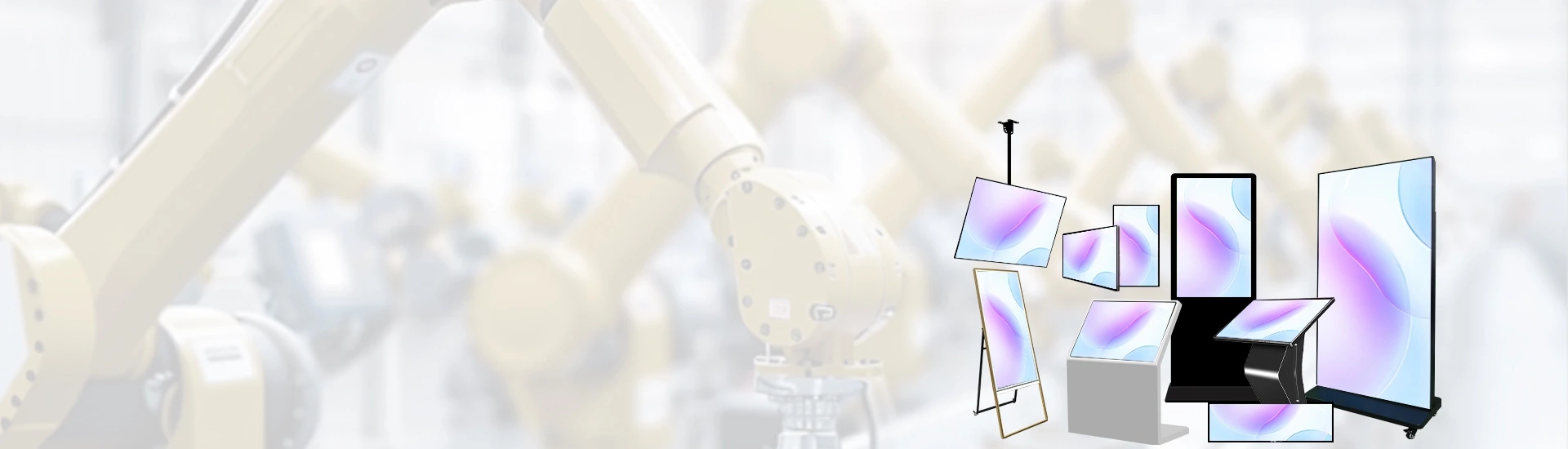
Bank branches still lose counter hours to repetitive tasks that a well-configured terminal can absorb. Qtenboard supplies self-service banking kiosk hardware, together with hardware and peripheral drivers and SDK support. The terminal application and the connection to bank systems remain with the bank’s technical team or system integrator; the exact integration support scope is confirmed during project evaluation.
This guide is written for bank procurement teams, branch operations leads, system integrators and bank project contractors who need to define a purchasable hardware scope before requesting a quote.
Aself-service banking kiosk project starts with the branch workflow, not with a generic hardware list. The table below separates what the branch needs, which hardware configuration must be confirmed, and who owns the software and integration work.
| Branch requirement | Hardware configuration to confirm | Software / integration responsibility |
|---|---|---|
| Queue ticketing | Touch screen, thermal ticket printer; queue management kiosk enclosure and mounting options | Queue calling application and back-office connection configured by the bank or integrator |
| Document capture | ID or document scanning peripheral, subject to project confirmation | File processing, recognition logic and workflow handled by the project software |
| Account information access | Touch terminal and card reader peripheral as specified by the application | Inquiry application, authorization and bank interface owned by the bank’s technical team |
| Branch service navigation | Touch screen and terminal configuration aligned to lobby layout | Service menus, interface and business content provided by the project software |
| Self-service ticketing | Terminal size, printer and scan module confirmed against the ticketing flow; self-service ticketing kiosk hardware options reviewed per project | Ticketing logic, number allocation and display integration delivered by the application owner |
Confirm the branch process first, then match the terminal and peripheral configuration to that process. Not every peripheral combination is stocked as a standard option; the final bill of materials is defined during configuration review.
The hardware layer is where procurement teams need clarity most. Qtenboard’s scope centers on terminal configuration, peripheral selection, drivers and SDK support, customization boundaries and integration preparation.
Screen size, computing platform, operating system and installation method are confirmed against the application software’s requirements. Not every configuration is available as a standard build; the project team should treat the terminal specification as a confirmation item, not an assumption.
Peripherals are selected around the confirmed list, not around a catalogue claim. Model, interface, driver availability and project-specific adaptation requirements are checked item by item before the hardware scope is fixed.
Qtenboard can provide hardware and peripheral drivers and SDK support for the selected devices. The exact support content depends on the chosen terminal, peripherals and project scope; it should be written into the project confirmation rather than assumed from a general capability statement.
Appearance, branding, structure and peripheral layout are confirmed separately. UI design and bank application development are not included in hardware customization by default; those remain with the bank or integrator unless a separate scope is agreed.
Before quotation, share the operating system, application runtime environment, interface requirements and target peripheral list. This allows both sides to review compatibility early and reduces late-stage configuration changes. For branch information display alongside the terminal, Inomhus digital skyltning can be reviewed as a separate hardware item when the lobby layout requires it.
Tell us your hardware and software requirements so the configuration review starts from the actual application environment.
Tell Us Your Hardware and Software RequirementsShare your application environment and peripheral list for configuration review.
Abanking kiosk quotation becomes useful only when the input is specific. Procurement teams and integrators should prepare answers to the following questions before asking for pricing.
The quotation scope should distinguish terminal hardware, peripherals, driver and SDK support, and separately confirmed customization and delivery requirements. Price, MOQ and lead time are not stated here because they depend on the configuration confirmed in the project discussion.
Publicly reported branch deployments show how banks in different countries structure self-service hardware around local service models. These examples are included for market context; they do not imply that every referenced deployment used Qtenboard hardware, unless a Qtenboard project note is specifically cited.
According to a Qtenboard project note, a 2024 collaboration with Barclays Bank UK deployed more than 200 customized digital bank kiosks across major cities, with the project reported to improve branch efficiency and reduce average wait times[reference:0]. The configuration combined biometric verification, a localized payment interface and an Android-based operating system. For procurement teams reviewing smart banking kiosk strategies, this type of deployment illustrates how terminal hardware, peripheral selection and software integration are separated into distinct workstreams.
DBS Bank in Singapore has deployed Video Teller Machines (VTMs) that allow customers to complete selected non-cash branch services beyond regular banking hours[reference:1]. The VTM model places the terminal hardware in a 24/7 self-service lane while a video banker supports the interaction remotely. For a bank specifying a self-service banking kiosk, this example highlights the importance of confirming the application environment, network connectivity and peripheral list before the hardware configuration is locked.
Emirates NBD introduced the EasyHub digital kiosk in the UAE as a mini-branch format that supports teller services and new product onboarding beyond normal banking hours[reference:2]. The deployment is a useful reference for projects that need a compact terminal footprint in a mall or off-site location, where the bank’s application and integration team defines the service menu while the hardware supplier confirms the terminal, screen and peripheral fit.
A Qtenboard queue kiosk deployment for a European bank’s central Paris branch used 15 units to organize customer flow, with average wait times reported to fall by approximately 40%[reference:3]. The case shows why bank queue management should be scoped as a hardware-plus-software project: the kiosk, ticket printer, calling display and back-office queue logic must be confirmed together.
A clear split of responsibilities is more useful to a bank procurement team than a broad capability claim. The table below states what Qtenboard confirms and what remains with the bank or system integrator.
| Qtenboard’s confirmed scope | Bank / system integrator’s scope |
|---|---|
| Terminal hardware | Banking business workflow and application software |
| Hardware and peripheral drivers, SDK | Application development and interface calls |
| Project-confirmed hardware configuration | Core banking system connection, authorization and business acceptance |
Sample requirements, configuration confirmation, technical support scope and batch delivery conditions should be confirmed item by item during project communication. Where real product photos, interface documents or sample test records are available, they can be added as supporting evidence for the specific configuration; without verified bank references, Qtenboard does not present unconfirmed project experience as a capability claim.
Can you customize a self-service kiosk for banks?
Hardware and peripheral configurations are confirmed per project. Appearance, branding, structure and peripheral layout are evaluated as separate customization items. Business UI and bank application development are not included as standard hardware customization services.
Does Qtenboard provide the banking application or core banking integration?
Qtenboard’s current scope is terminal hardware plus hardware and peripheral drivers and SDK. Banking applications and core banking connections are the responsibility of the bank or system integrator. Specific technical support content is confirmed against the selected configuration.
What information is needed to confirm MOQ and lead time?
Target configuration, peripheral list, estimated quantity, customization requirements and destination country are needed. MOQ, sample arrangements and lead time are confirmed after configuration evaluation. No fixed figures or unsupported fast-delivery claims are stated in advance.
Share your branch or integration project requirements, including terminal configuration, peripherals, estimated quantity and application runtime environment.
E-post: Info@qtenboardglobal.com.
WhatsApp: +86 18124715048
Webbplats: www.qtenboardglobal.com
Kontakta oss
 SWE
 EN
 AR
 DAN
 IT
 ARM
 FIN
 NOR
 MAY
 NL
 TH
 KOR
 PL
 RU
 PT
 SPA
 FRA
 DE
 CHT
