
Choosing an interactive whiteboard for a meeting room in Kazakhstan involves more than selecting a screen size. Businesses in Astana, Almaty and other cities need to consider room dimensions, seating arrangements, viewing distance, meeting habits and compatibility with existing office equipment. The right configuration should support everyday presentations, collaborative discussions and hybrid meetings without making the room difficult to use.
This guide explains how to select an interactive flat panel for meeting rooms designed for 6, 12 or 20 people. It also covers installation options, technical specifications and practical purchasing considerations for Kazakhstan businesses, office equipment suppliers and system integrators.
The number of people attending a meeting provides a useful starting point for screen selection. However, the screen must also be large enough for participants seated at the far end of the room to read presentation text, spreadsheets, diagrams and shared documents.
For typical business meeting rooms, the following sizes can be used as an initial reference when planning an interactive whiteboard installation.
| Meeting Room Capacity | Suggested Screen Size | Typiskt tillämpning |
|---|---|---|
| 4–6 people | 55–65 inches | Small meeting rooms, private offices and team discussions |
| 8–12 people | 75 inches | Standard conference rooms and departmental meetings |
| 12–16 people | 75–86 inches | Larger meeting rooms, project reviews and training sessions |
| 20+ people | 86–110 inches | Boardrooms, training rooms and larger conference spaces |
These recommendations are starting points rather than fixed requirements. A 75-inch interactive whiteboard may work well in a compact 12-person meeting room, while a longer room with widely spaced seating may require an 86-inch display or a different room layout.
Meeting room requirements can vary between corporate headquarters, regional offices, government-related projects, educational organizations and private businesses in Kazakhstan. A small team room in an Almaty office may need a different configuration from a boardroom used for management presentations in Astana.
Corporate meeting rooms commonly require clear presentation, document sharing and collaborative annotation. A 65-inch or 75-inch interactive flat panel may be suitable for smaller and standard meeting spaces, while larger boardrooms may require 86-inch or bigger displays.
Companies operating across Astana, Almaty, Shymkent and other Kazakhstan cities may need consistent display configurations across multiple offices. Standardizing screen sizes, operating systems, interfaces and software settings can simplify purchasing, staff training and future equipment replacement.
Business communication in Kazakhstan may involve Kazakh, Russian and English, depending on the organization and meeting participants. For this reason, buyers should check the system interface, keyboard input and language requirements before placing an order.
For organizations using AI-assisted meeting tools, it is also important to verify supported recognition and transcription languages. Qtenboard's AI Speech to Text and Meeting Minutes functions support major languages including English, Russian, Kazakh and Chinese.
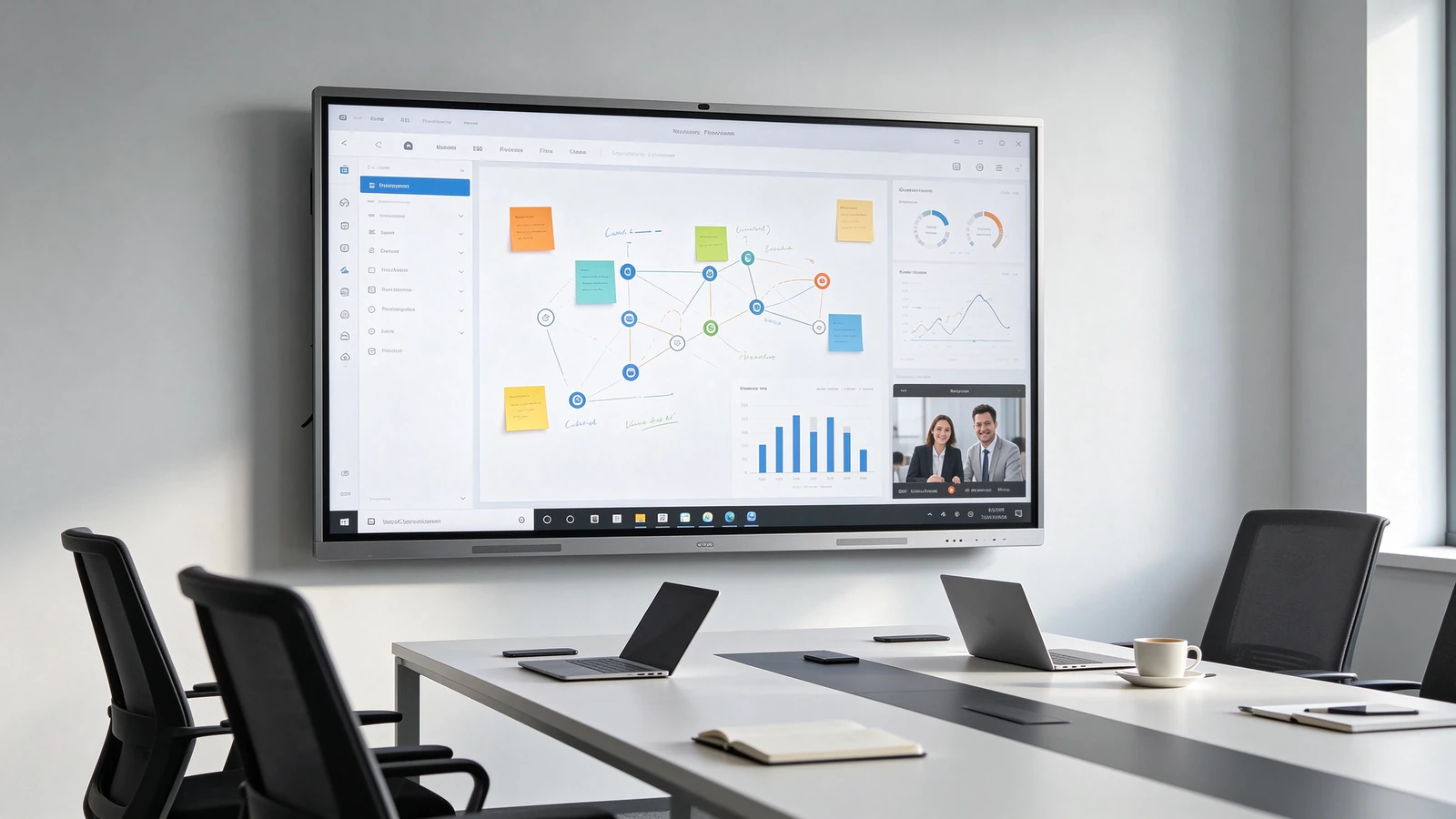
Interactive whiteboard applications for corporate meeting rooms in Kazakhstan.
Headcount alone cannot determine the correct interactive whiteboard size. Two meeting rooms with the same number of seats may have different layouts, ceiling heights and viewing conditions. Buyers should evaluate the actual room before confirming the display specification.
Start by measuring the distance between the planned display position and the farthest regular seating position. This is particularly important for long conference tables, where participants at the back must be able to read smaller text and follow detailed presentations.
A screen used mainly for video presentations may have different viewing requirements from one used for Excel spreadsheets, technical drawings, dashboards or detailed documents. If participants regularly review small text, diagrams or data, prioritize readability from the farthest seat rather than choosing a display based only on the room's headcount.
The display should be visible to participants across the room without excessive viewing angles. Consider the width of the meeting table, seating arrangement, available wall space, lighting conditions and the height at which the screen will be installed.
| Planning Factor | What Buyers Should Check | Varför det spelar någon roll? |
|---|---|---|
| Room capacity | Number of regular and maximum participants | Provides an initial screen-size reference |
| Viewing distance | Distance from the screen to the farthest seat | Helps maintain text and content readability |
| Meeting content | Presentations, spreadsheets, diagrams or video | Determines how much visual detail participants need |
| Room layout | Table arrangement, screen position and viewing angles | Reduces visibility problems during meetings |
| Installation space | Wall width, mounting height and cable routes | Ensures the selected display can be installed properly |
For projects in Kazakhstan, buyers can provide a room plan, wall measurements or installation photos to the supplier. This makes it easier to evaluate the screen size and mounting position before confirming the order.
After determining the screen size, buyers should compare the technical configuration. A suitable interactive whiteboard should support the organization's meeting workflow, connect with existing devices and provide a practical operating environment for daily use.
A 4K UHD resolution of 3840 × 2160 provides detailed images for presentations, documents, charts and video content. It is particularly useful when several participants need to view information on the same screen.
Infrared touch technology allows participants to write, annotate and interact with on-screen content. Qtenboard interactive whiteboard configurations support 20–50 touch points depending on the model, making it possible for multiple users to participate in collaborative sessions.
Android provides an integrated operating environment for common meeting and collaboration tasks. For companies that require a Windows-based environment or specific desktop applications, an optional Windows OPS configuration can be considered.
Buyers should confirm the required processor, memory, storage and operating system before ordering. The configuration should match the applications and workflows used by the organization rather than relying on a generic specification.
Check the available HDMI, USB, USB-C, DisplayPort and RJ45 interfaces according to the selected model. Do not assume that every USB-C port supports video output, data transfer and power delivery simultaneously; confirm the exact functions of the chosen configuration.
Wireless screen sharing can help participants present content from laptops, tablets and mobile devices. Compatibility should be checked against the operating systems and devices used by the company.
AI Speech to Text and Meeting Minutes can support meeting documentation by converting speech into text and helping teams organize meeting information. For multilingual teams in Kazakhstan, buyers should verify the language support required for their daily meetings.
For organizations managing multiple meeting rooms or offices, a Device Management System (DMS) can help administrators monitor compatible devices, manage settings, distribute commands and coordinate remote updates. The available functions depend on the device configuration and software deployment.
Installation planning is an important part of an interactive whiteboard project. The choice between a wall-mounted display and a mobile stand depends on room usage, building conditions, available space and how frequently the equipment needs to be moved.
| Installation Option | Suitable Applications | Key Considerations |
|---|---|---|
| Väggmonterad | Fixed meeting rooms, boardrooms and dedicated training rooms | Wall strength, mounting height, cable routing and power access |
| Mobile stand | Shared meeting spaces and rooms requiring flexible equipment placement | Stand load capacity, locking wheels, movement space and cable management |
Wall mounting is often practical when the interactive whiteboard will remain in one dedicated meeting room. It provides a fixed display position and can help keep the floor area clear. Before installation, confirm that the wall structure can support the selected screen and mounting bracket.
A mobile stand can be useful when a company needs to move one interactive whiteboard between different rooms. However, buyers should check the stand's load rating, wheel locks, movement path and cable arrangement. Camera and microphone positioning may also need to be adjusted whenever the display is moved.
For larger projects, installation planning should be completed before shipment. This helps the purchasing team coordinate the display, bracket or stand, power supply, network connection and local installation work.
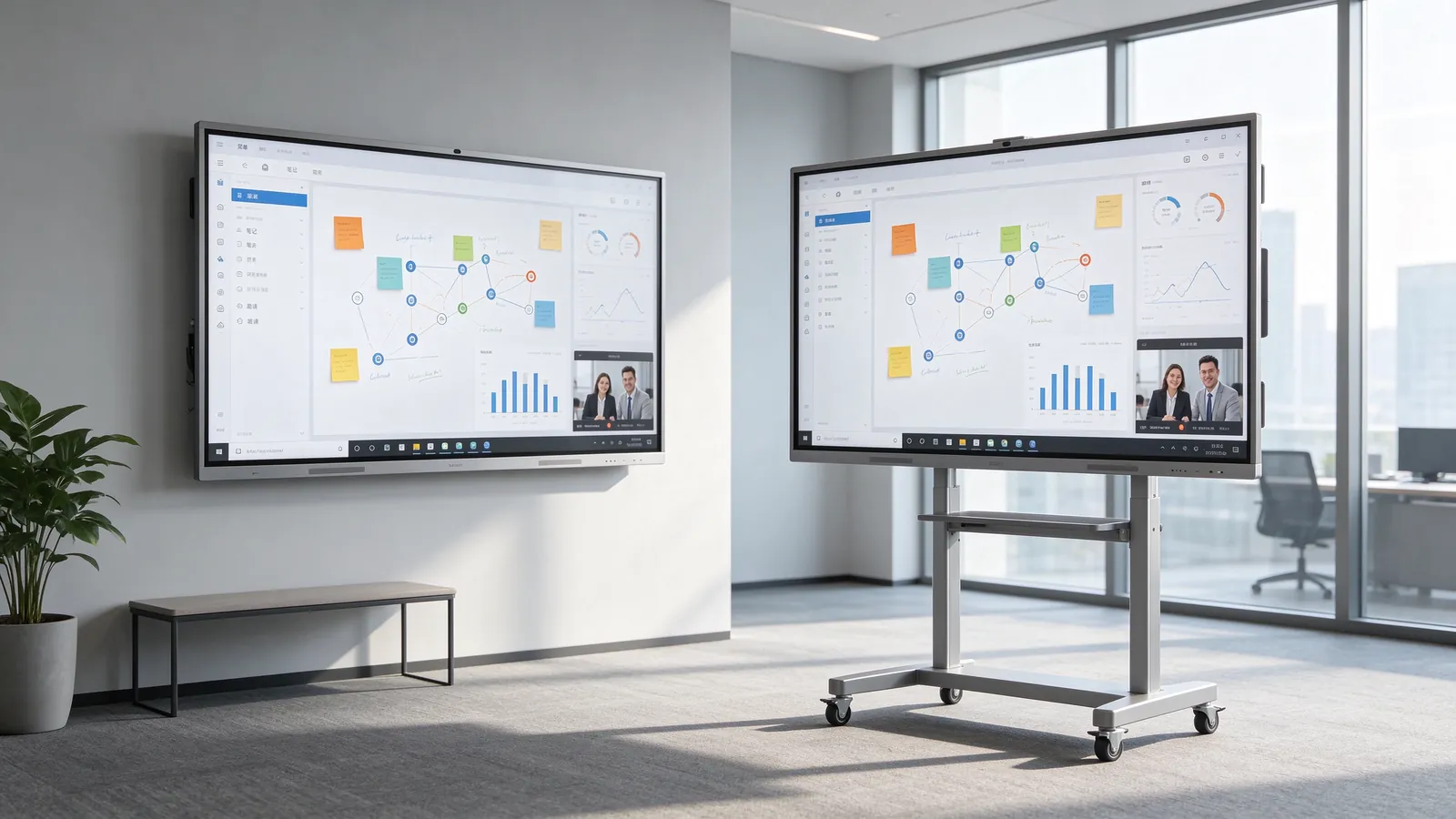
Compare fixed wall installation and mobile stand options before ordering.
A well-planned purchasing process helps businesses avoid configuration mismatches, installation delays and unnecessary changes after delivery. For corporate buyers, distributors and system integrators in Kazakhstan, the following steps provide a practical framework.
Record the number of meeting rooms, participant capacity, room dimensions, expected screen size and main usage scenarios. For multi-room projects, identify whether all rooms need the same configuration or whether different screen sizes are required.
Confirm the display size, resolution, touch specification, Android version, optional Windows OPS, memory, storage and required interfaces. If the project involves AI meeting tools, camera or microphone functions, verify their availability on the selected model.
For Kazakhstan deployments, confirm the required system languages, keyboard input and AI language functions. If the project requires EAC certification, ask the supplier to verify the certification status and applicable scope of the specific model before placing the order.
Decide whether the display will be wall-mounted or installed on a mobile stand. Confirm the packaging, accessories, installation guidance, delivery schedule and any spare parts required for the project.
For multi-room or multi-location deployments, discuss configuration consistency, software updates, technical guidance and replacement parts. A clear support arrangement can help reduce coordination problems after the equipment has been installed.
Qtenboard supplies interactive flat panels from its manufacturing operations in China, supporting standard configurations as well as OEM and ODM projects. Buyers can discuss display sizes from 55 to 110 inches, Android configurations, optional Windows OPS and project-specific software or branding requirements.
Standard models are available with an MOQ starting from one unit, with a typical lead time of 7–10 working days. OEM/ODM MOQ and production schedules are confirmed according to the project; customized orders typically require 15–25 working days.
For distributors and project integrators, Qtenboard can also discuss CKD/SKD supply, branded packaging, software customization and configuration planning. The final scope, lead time and delivery arrangements should be confirmed in the quotation.
A 75-inch interactive whiteboard can be suitable for many 8–12-person meeting rooms. However, the final choice depends on room depth, seating arrangement and the type of content displayed. If participants sit far from the screen or regularly review detailed documents, an 86-inch model may be worth considering.
Not every meeting room requires a built-in camera. If the room is mainly used for local presentations and discussions, a display without an integrated camera may be sufficient. For video conferencing, buyers should confirm the camera and microphone configuration supported by the selected model or project.
A mobile stand can allow an interactive whiteboard to be shared between rooms, provided the equipment can be moved safely and both rooms have suitable power and connectivity. However, this arrangement may interrupt meetings when the display is in use elsewhere. Companies with simultaneous meetings may find dedicated displays more practical.
Standard Qtenboard models can be ordered from one unit. OEM and ODM orders have project-based MOQ requirements, which depend on the requested branding, software, hardware and packaging customization. Contact the team with your requirements to confirm the applicable quantity and lead time.
Selecting the right interactive whiteboard requires a balance between screen size, room layout, technical configuration and long-term usability. For businesses in Astana, Almaty and other Kazakhstan cities, confirming these requirements before purchasing can make equipment selection and installation more predictable.
Qtenboard provides 55–110-inch interactive flat panels for corporate meeting rooms, conference spaces and training environments. As a manufacturing supplier, Qtenboard supports standard orders, OEM/ODM customization and CKD/SKD cooperation for distributors, system integrators and project buyers.
Share your meeting room dimensions, participant capacity, preferred screen size and software requirements to discuss a suitable configuration for your project in Kazakhstan.
Contact Qtenboard to request model specifications, project-based quotations and configuration support for interactive whiteboard deployments in Kazakhstan.
Standard MOQ: From 1 unit
Standard lead time: 7–10 working days
Available sizes: 55–110 tum
Supply options: Standard models, OEM/ODM and CKD/SKD

 SWE
 EN
 AR
 DAN
 IT
 ARM
 FIN
 NOR
 MAY
 NL
 TH
 KOR
 PL
 RU
 PT
 SPA
 FRA
 DE
 CHT
