 JP
JP
 EN
EN  AR
AR  DAN
DAN  IT
IT  ARM
ARM  FIN
FIN  SWE
SWE  NOR
NOR  MAY
MAY  NL
NL  TH
TH  KOR
KOR  PL
PL  RU
RU  PT
PT  SPA
SPA  FRA
FRA  DE
DE  CHT
CHT 技術仕様:
Key Features of the Qtenboard DC-800 Document Camera for Interactive Whiteboards
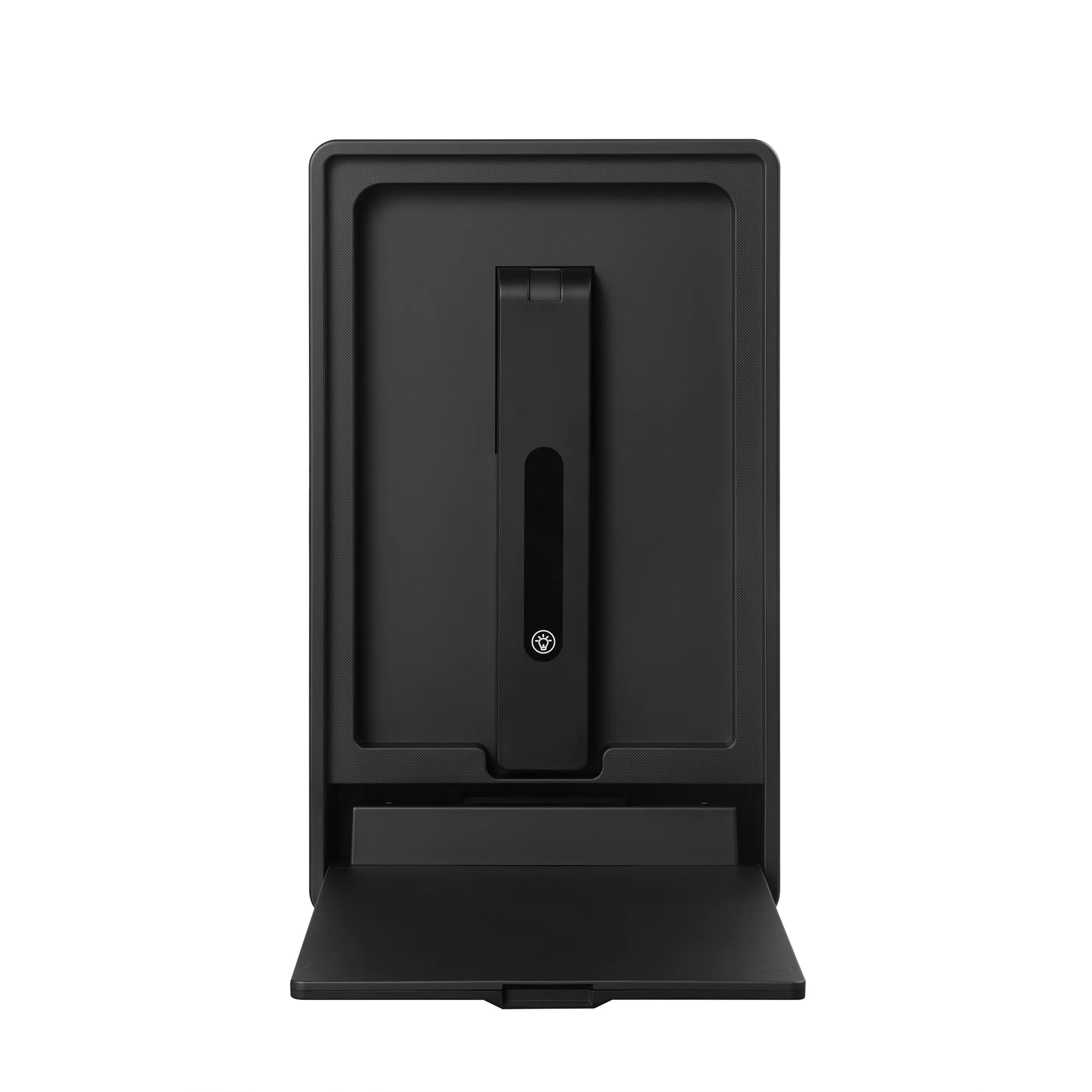
The Qtenboard DC-800 is a purpose-built visualizer and document camera for interactive whiteboards, interactive flat panels, and teaching all-in-one displays. As a core accessory in the Qtenboard interactive whiteboard ecosystem, this USB document camera delivers real-time, high-resolution imaging of physical teaching materials—textbooks, worksheets, 3D objects, and science experiments—directly to any connected display. For B2B buyers and education solution providers, the DC-800 represents a low-latency, high-compatibility visual presenter that integrates seamlessly into existing interactive whiteboard deployments without additional power infrastructure.
📸1.優れたソニーCMOS画質
Equipped with an 8-megapixel camera and a SONY 1/3.2" CMOS sensor, this document camera for interactive whiteboards delivers sharp details and natural colors essential for classroom visibility. The 3264×2448 output resolution ensures that textbook text, handwritten annotations, and small component details remain legible even when projected on large-format interactive flat panels. Perfect for displaying textbooks, small objects, handwriting, and live science demonstrations in K-12 and higher education environments.
📏2.大きいA4捕获区域
Supports a 300–350 mm A4 scanning range, making this visualizer document camera ideal for full-page textbook layouts, homework sheets, technical diagrams, and printed documents widely used in education and corporate training. The large capture area reduces the need for repositioning materials during live presentations, streamlining lesson delivery on interactive whiteboards.
🔌3. Plug-and-Play USB Power for Interactive Whiteboards
No external power adapter needed. This USB document camera for interactive whiteboards connects and powers directly from a single USB cable, eliminating cable clutter and installation complexity in multi-device classrooms. Compatible with:
Interactive whiteboards (IWB)
オールインワンディスプレイを教える
Windowsコンピュータ
Android教育システム
This design makes the DC-800 one of the most deployment-friendly document camera accessories for large-scale interactive whiteboard installations.
🧰4. Powerful Teaching Software for Document Camera Use
Built-in software for this visualizer document camera includes essential teaching tools:
ズームイン/ズームアウト/回転
明るさ調整
フリーズフレーム
ミラーモード
タイム写真 (5s / 10s)
マルチ画像プレビュー全画面モード
画像/テキスト/ダイナミック表示モード
高輝度LEDフィルライト
Designed to help teachers present content clearly and interactively on interactive whiteboards. For related teaching display configurations, see our interactive whiteboard teaching solutions resource.
| アイテム | 詳細 |
|---|---|
| ブランド | Qtenboard |
| モデル | Qtenboard DC-800 Document Camera for Interactive Whiteboards |
| カメラレンズ | F2.2 \ 60度の角度 |
| 従来の出力解像度 | 3264*2448 |
| シャープネス | センター1200ライン以上、周り900ライン以上 (1:1サイズダイナミック、静的観察) |
| ビデオ出力フォーマット | YUY2、MJPG |
| フォーカスモード | 300mm固定焦点距離 |
| インターフェイス | USB B |
| 伝送レート | 10FPS, 3264*2448; 30FPS, 720P |
| 信号対雑音比 | 48デシベル (30 FPS 220ルクス) よりも良い |
| ダイナミックレンジ | ≥ 68デシベル |
| イメージング範囲 | 5cm ~ ️ |
| 圧縮モード | DSP内蔵イメージ圧缩 |
| ホワイトバランス | 自動規制 |
| 色補正モード | 自動規制 |
| 働くダイナミックな流れ | <300mA |
Application Scenarios for Document Camera for Interactive Whiteboards
The Qtenboard DC-800 document camera and visualizer is engineered for environments where interactive whiteboards and teaching displays are central to instruction and collaboration. Below are the primary deployment scenarios for B2B integrators, education distributors, and institutional buyers.
🏫1. Classroom Teaching with Interactive Whiteboards
The DC-800 document camera for interactive whiteboards is perfect for displaying textbooks, worksheets, exam papers, handwriting, and science experiments. It works seamlessly with interactive whiteboards and teaching all-in-one displays to support modern digital classrooms. Teachers can switch between digital courseware and physical material demonstrations instantly, maintaining lesson flow without technical interruptions.
💼2. Business Meetings & Training with Visualizer Document Camera
This USB document camera for interactive flat panels is ideal for showcasing product details, technical parts, documents, and training materials during conferences, workshops, and corporate training sessions. The plug-and-play USB connectivity allows presenters to move between rooms without carrying additional power adapters or configuring drivers.
🏛️3. Government & Healthcare Document Presentation
Suitable for document verification, form presentation, inspection tasks, and training sessions. As a visual presenter and document camera accessory, the DC-800 provides reliable, high-clarity imaging for environments where accuracy and legibility are non-negotiable. For broader deployment considerations, see our interactive whiteboard deployment insights.
🖥️4. Online & Hybrid Learning with Document Camera for Teaching Display
Supports screen sharing and online lessons, allowing teachers to present handwritten notes and live demonstrations with clarity. This visualizer for interactive whiteboards functions as a reliable bridge between physical classroom materials and remote learning platforms, ensuring that students at home receive the same visual quality as those in the room.
FAQ: Document Camera for Interactive Whiteboards
Q1: Does this document camera for interactive whiteboards require an external power adapter?
No. The DC-800 USB document camera is fully USB-powered and works directly when connected to a computer, interactive whiteboard, or teaching all-in-one display. This eliminates the need for additional power outlets, cable trunking, or installation labor in interactive whiteboard deployments.
Q2: Can the DC-800 visualizer work with an interactive whiteboard?
Yes. As a dedicated document camera for interactive whiteboards, it is compatible with major Android and Windows teaching systems and connects easily to interactive whiteboards and all-in-one teaching displays. The visualizer document camera output can be displayed live on the interactive whiteboard screen without requiring a separate monitor or projector.
Q3: Does the software for this document camera support English?
Yes. The software for this USB document camera includes both English and Chinese interfaces, and languages can be customized for export markets. For B2B distributors serving international education markets, this document camera for interactive whiteboards can be localized to meet regional language requirements.
Q4: Can this visualizer document camera record videos?
It supports image capture, snapshots, and dynamic display through the bundled software. Video recording can be achieved through third-party screen-recording software when used with a computer or interactive flat panel. This makes the document camera for interactive whiteboards suitable for both live instruction and content creation workflows.
Q5: Can I annotate images captured by this document camera and save them?
Yes. Annotation can be applied to images captured by this document camera for interactive whiteboards, and all edited content can be saved, previewed, and exported. When paired with interactive whiteboard software, teachers can write directly over the live visualizer feed, creating interactive layered presentations that combine physical materials with digital annotation.
Interested in the Qtenboard DC-800 Document Camera for Interactive Whiteboards?
Contact us for B2B pricing, OEM/ODM support, and volume deployment consultation. We serve education distributors, system integrators, and institutional buyers worldwide.
お問い合わせ