
 FIN
 EN
 AR
 DAN
 IT
 ARM
 SWE
 NOR
 MAY
 NL
 TH
 KOR
 PL
 RU
 PT
 SPA
 FRA
 DE
 CHT

Brainstorming templates for smart whiteboards help business teams turn discussions into organized ideas, decisions and action plans. For companies in Kazakhstan where employees may work in Kazakh and Russian, bilingual templates can make workshops, project planning and team meetings easier to follow. Instead of starting every session with a blank screen, teams can use reusable layouts with clear headings, structured discussion areas and shared meeting records.
With an interactive whiteboard, participants can write, organize ideas, add notes and review information together. Qtenboard supports custom brainstorming templates, content saving and export, as well as Kazakh and Russian keyboard input, handwriting recognition and AI speech-to-text. This guide introduces five practical templates and explains how businesses can use them in daily collaboration.
Which Brainstorming Templates Work Best on a Smart Whiteboard?
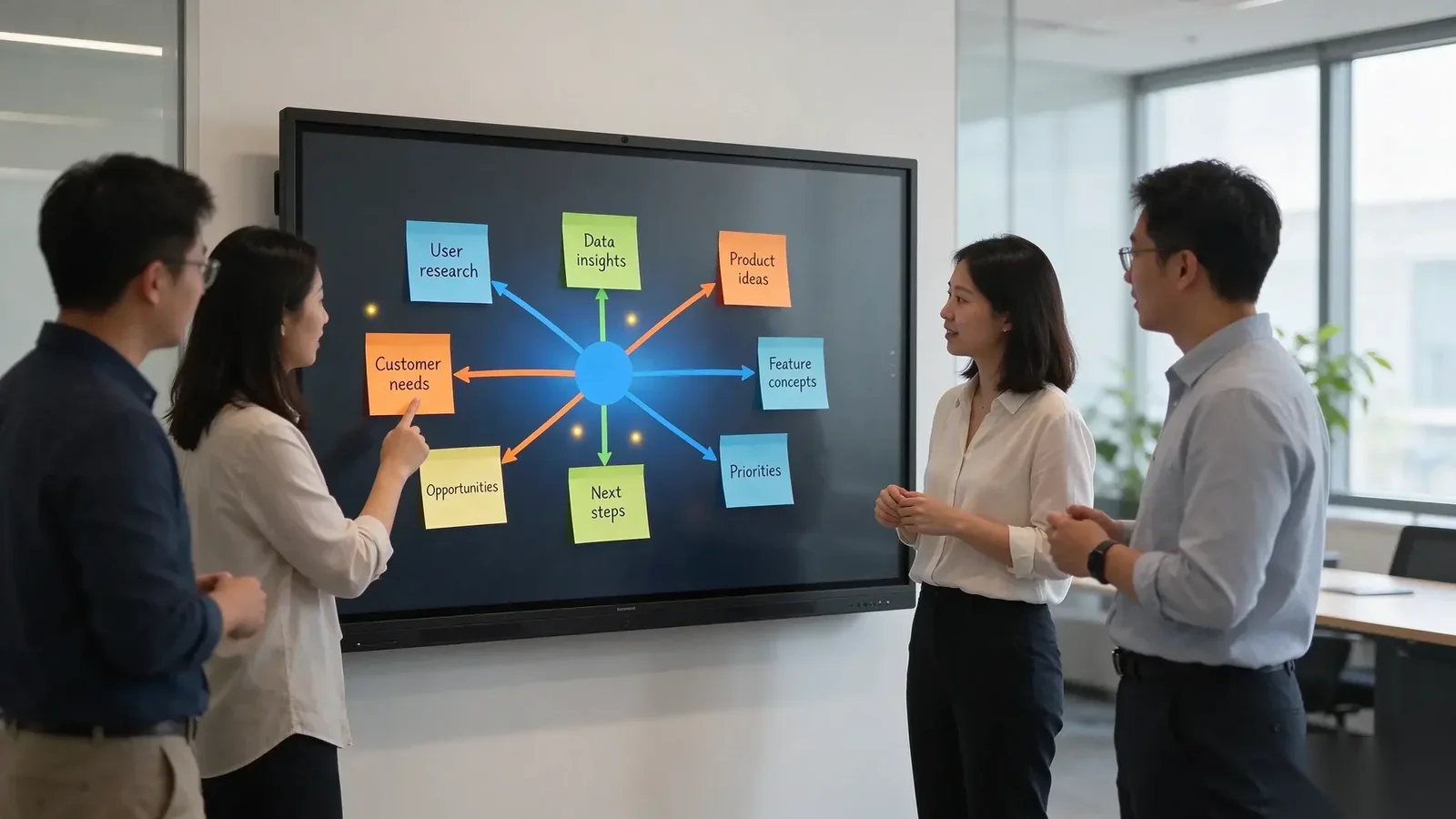
The best brainstorming template depends on the meeting objective. A mind map works well for open-ended discussions, SWOT helps evaluate business situations, sticky note clustering groups similar ideas, Kanban organizes tasks, and a retrospective helps teams review completed work.
For bilingual teams, the template should use consistent headings in Kazakh and Russian. Participants can then contribute in their preferred language while following the same meeting structure. A smart whiteboard makes it possible to create and customize these layouts, reuse them in later sessions, and save or export the resulting content.
| Template | Primary purpose | Suggested participants | Suggested duration |
|---|---|---|---|
| Mind Map | Explore ideas around one central topic | 3–8 people | 20–30 minutes |
| SWOT Analysis | Evaluate strengths, weaknesses, opportunities and threats | 4–10 people | 30–45 minutes |
| Sticky Note Clustering | Collect and group ideas or feedback | 4–12 people | 20–35 minutes |
| Kanban Board | Organize tasks and track progress | 3–10 people | 20–30 minutes |
| Team Retrospective | Review results and agree on improvements | 4–10 people | 30–45 minutes |
These participant numbers and durations are suggested planning ranges, not technical limits of the interactive whiteboard. The meeting facilitator can adjust them according to the subject, team size and available time.
Why Do Business Teams in Kazakhstan Need Bilingual Brainstorming Templates?
In some organizations in Kazakhstan, employees use Kazakh and Russian across different departments, business activities and training situations. A meeting may include participants who prefer different languages for discussion, while the company still needs one consistent record of decisions and responsibilities.
Without a shared structure, meeting notes can become difficult to review. One department may record ideas in Kazakh, another may use Russian headings, and action items may be written in different formats. This can make it harder for managers and project coordinators to compare results or follow up after a workshop.
Bilingual brainstorming templates provide a practical way to organize this information. The same layout can display both languages, allowing participants to contribute without changing the structure of the discussion.
For business teams, the main benefits include:
- Clearer meeting structure: Participants can identify the same discussion areas in either language.
- More consistent records: Teams use common headings for ideas, questions, decisions and tasks.
- Easier collaboration: Employees can contribute in their preferred language while working on one shared board.
- Reusable meeting materials: Departments can adapt existing templates for recurring workshops and planning sessions.
- Better follow-up: Organized meeting content can be saved and exported for later review.
What Are Five Ready-to-Use Brainstorming Templates for Businesses?
The following five layouts cover common business activities, from generating new ideas to assigning tasks and reviewing project results. The bilingual labels are practical starting examples. Companies can customize the wording to match their internal terminology and preferred business language.
1. Mind Map Template for Idea Generation
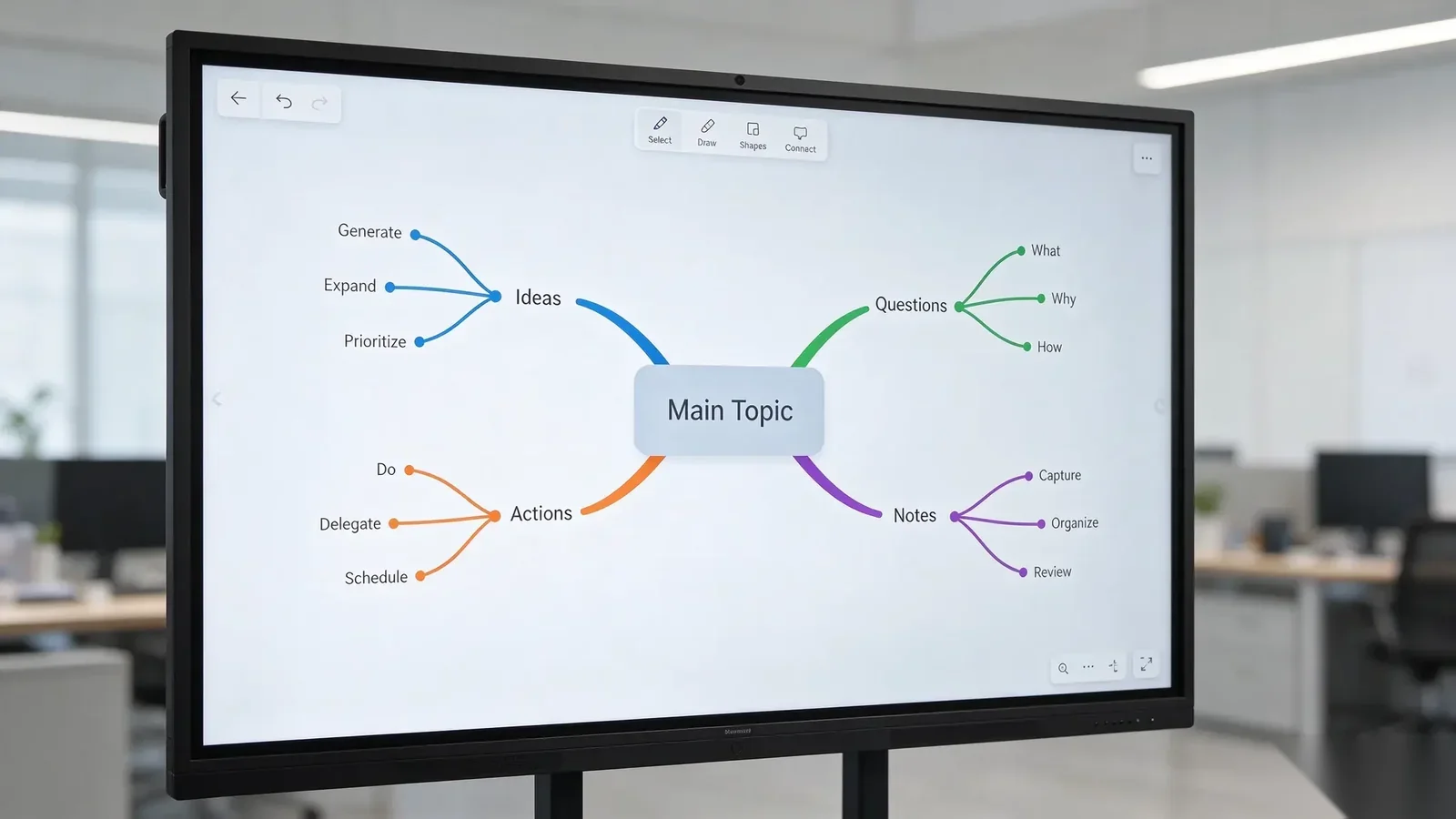
A mind map starts with one central topic and expands into related ideas, questions and possible actions. It is useful for strategy workshops, product discussions, marketing planning and team training.
Place the main topic in the center of the whiteboard. Add branches for different themes, then allow participants to contribute related ideas. The facilitator can group similar points and identify topics that need further discussion.
| Template label | Kazakh | Russian |
|---|---|---|
| Main Topic | Негізгі тақырып | Главная тема |
| Ideas | Идеялар | Идеи |
| Questions | Сұрақтар | Вопросы |
| Actions | Әрекеттер | Действия |
Suggested use: 3–8 participants, 20–30 minutes. The meeting output can be a structured idea map with priority topics and follow-up questions.
2. SWOT Analysis Template for Business Planning
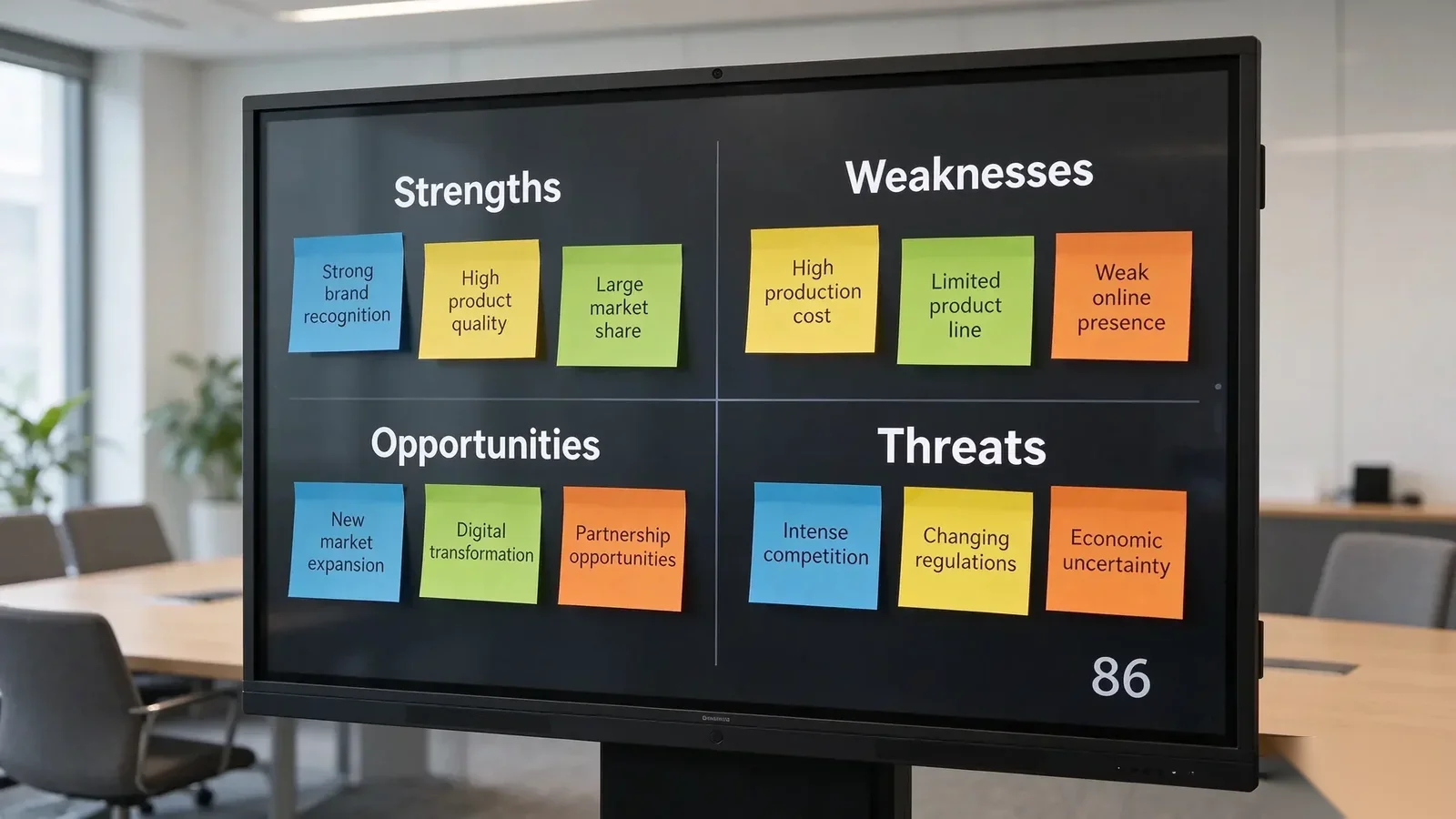
A SWOT template helps management teams examine a business proposal, department, product or project from four perspectives. It is especially useful when a company needs to compare internal capabilities with external business conditions.
Divide the whiteboard into four sections. Ask participants to add evidence or observations under each heading, then discuss which findings should influence the next business decision.
| Template label | Kazakh | Russian |
|---|---|---|
| Strengths | Күшті жақтар | Сильные стороны |
| Weaknesses | Әлсіз жақтар | Слабые стороны |
| Opportunities | Мүмкіндіктер | Возможности |
| Threats | Қауіп-қатерлер | Угрозы |
Suggested use: 4–10 participants, 30–45 minutes. The result is a structured overview of business factors that can support planning and decision-making.
3. Sticky Note Clustering Template for Group Discussions
Sticky note clustering, also called an affinity diagram, is useful when a team needs to collect many ideas and identify common themes. Each participant contributes short notes, which can then be moved into groups based on their meaning.
Start with an open idea collection area. After the initial discussion, move similar notes together and give each group a category. This approach works well for customer feedback, training discussions, product requirements and internal process improvement.
| Template label | Kazakh | Russian |
|---|---|---|
| Ideas | Идеялар | Идеи |
| Questions | Сұрақтар | Вопросы |
| Problems | Мәселелер | Проблемы |
| Suggestions | Ұсыныстар | Предложения |
Suggested use: 4–12 participants, 20–35 minutes. The meeting output is a set of grouped ideas, recurring issues and possible solutions.
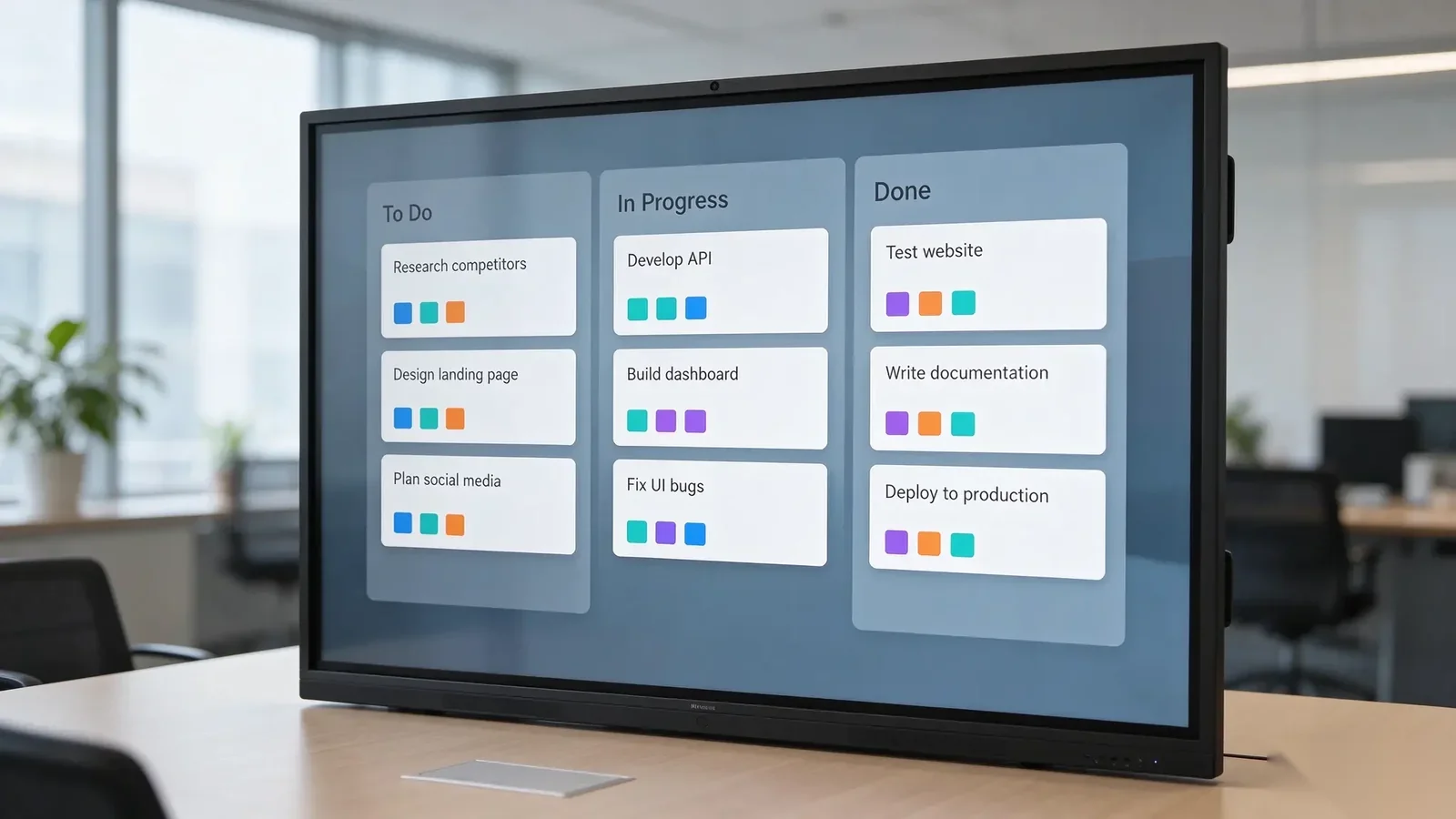
4. Kanban Board Template for Project Coordination
A Kanban board turns a discussion into a visible workflow. It is useful for project teams that need to assign responsibilities, review progress and identify tasks that are waiting for action.
Use three main columns: To Do, In Progress and Done. Each task can be represented by a card containing a short description, an owner and a target date. During the meeting, participants can move tasks between columns as their status changes.
| Template label | Kazakh | Russian |
|---|---|---|
| To Do | Жоспарда | К выполнению |
| In Progress | Орындалуда | В работе |
| Done | Аяқталды | Готово |
| Task Owner | Жауапты адам | Ответственный |
Suggested use: 3–10 participants, 20–30 minutes. The output is a visual task overview that helps teams clarify ownership and next steps.
5. Team Retrospective Template for Continuous Improvement
A retrospective helps teams review a completed project, work cycle or business activity. Instead of discussing only what went wrong, participants identify successful practices and agree on improvements for the next cycle.
Use separate sections for positive results, issues and action items. Encourage participants to add specific observations rather than general comments. Finish by selecting a small number of improvements and assigning responsibility for each one.
| Template label | Kazakh | Russian |
|---|---|---|
| What Went Well? | Не жақсы өтті? | Что прошло хорошо? |
| What Needs Improvement? | Нені жақсарту керек? | Что нужно улучшить? |
| Action Items | Іс-қимыл жоспары | План действий |
| Responsible Person | Жауапты тұлға | Ответственное лицо |
Suggested use: 4–10 participants, 30–45 minutes. The result is a documented review with agreed improvement actions and assigned responsibilities.
How Can Different Business Departments Use Smart Whiteboard Templates?
Templates become more useful when they match the way each department works. A management team may need a strategic overview, while a project team needs task tracking and an HR department may need a structured training discussion.
| Business department | Recommended template | Typical meeting objective |
|---|---|---|
| Management | SWOT / Mind Map | Strategic planning and business evaluation |
| Project Management | Kanban / Retrospective | Task allocation, progress review and project improvement |
| HR and Training | Mind Map / Sticky Note Clustering | Training sessions, employee feedback and group learning |
| Product Development | Mind Map / Affinity Diagram | Feature discussions, requirements and idea grouping |
| Operations | Kanban / Retrospective | Process review, issue tracking and action planning |
For organizations with several departments, a shared template structure can make meeting records easier to review. Teams can maintain common headings while customizing the content for their own projects and responsibilities.
How Can Teams Create, Organize and Share Brainstorming Templates?
A reusable template should make it easier to prepare a meeting, not create extra administration. Businesses can build a small collection of layouts for recurring activities and adapt them when a new workshop or project requires a different structure.
Create a Template Around One Meeting Objective
Start by identifying the purpose of the session. A planning meeting may need a mind map, while a project review may work better with a Kanban board or retrospective. Add only the sections participants need to complete the discussion.
Use Consistent Bilingual Headings
Place Kazakh and Russian labels together where both languages are needed. Keep the order, spelling and terminology consistent across departments. If the organization has approved internal translations, use those terms rather than allowing each team to create different versions.
Save Templates for Future Meetings
Qtenboard supports custom brainstorming templates and content saving. Teams can organize their layouts around recurring meeting types, keep working materials for later use and avoid rebuilding the same structure every time. Content can be saved locally and to cloud storage, according to the available software configuration.
Export and Share Meeting Results
After a session, teams can export whiteboard content for review and follow-up. The meeting facilitator can share the resulting file with participants or the relevant department, helping ensure that ideas and action items remain available after the meeting ends.
Before standardizing an export workflow, confirm the available file formats and sharing process on the specific software version used by the organization.
Use AI Speech-to-Text to Support Meeting Records
For teams that prefer spoken discussion, Qtenboard AI speech-to-text supports both Kazakh and Russian. This can help turn spoken contributions into text that participants can review and organize during or after a meeting, depending on the configured workflow.
Teams should still review names, technical terms, abbreviations and action assignments before treating automatically generated text as an official meeting record.
How Do You Test Kazakh and Russian Language Support on an Interactive Whiteboard?
Language support involves more than displaying a keyboard. Businesses should check text input, handwriting recognition, character display and speech-to-text separately. These functions serve different purposes and should be evaluated using the actual languages and terminology employees use.
Keyboard Input in Kazakh and Russian
Qtenboard supports keyboard input in both Kazakh and Russian. Employees can enter headings, notes, task descriptions and other written information using the appropriate language input method.
Handwriting Recognition in Both Languages
Qtenboard supports handwriting recognition in Kazakh and Russian. This allows users to write on the interactive whiteboard and convert supported handwriting into digital text. During evaluation, test common letters, words, punctuation and business terminology used by the team.
AI Speech-to-Text for Meeting Discussions
AI speech-to-text supports both Kazakh and Russian. This is useful when teams want to capture spoken contributions rather than rely entirely on manual note-taking. Recognition results should be reviewed before they are used in formal reports or task records.
Check the Complete Workflow
- Enter sample text using the Kazakh keyboard.
- Enter sample text using the Russian keyboard.
- Write common Kazakh words and test handwriting recognition.
- Write common Russian words and test handwriting recognition.
- Test AI speech-to-text with Kazakh speech.
- Test AI speech-to-text with Russian speech.
- Check that special characters display correctly in the working content.
- Save the completed whiteboard content locally and to cloud storage.
- Export the content and review the resulting file.
- Ask local users to check terminology and readability before wider deployment.
This process helps businesses evaluate the complete workflow, from creating a bilingual template to saving and sharing the final meeting record.
Why Use an Interactive Whiteboard Instead of a Standard Meeting Display?
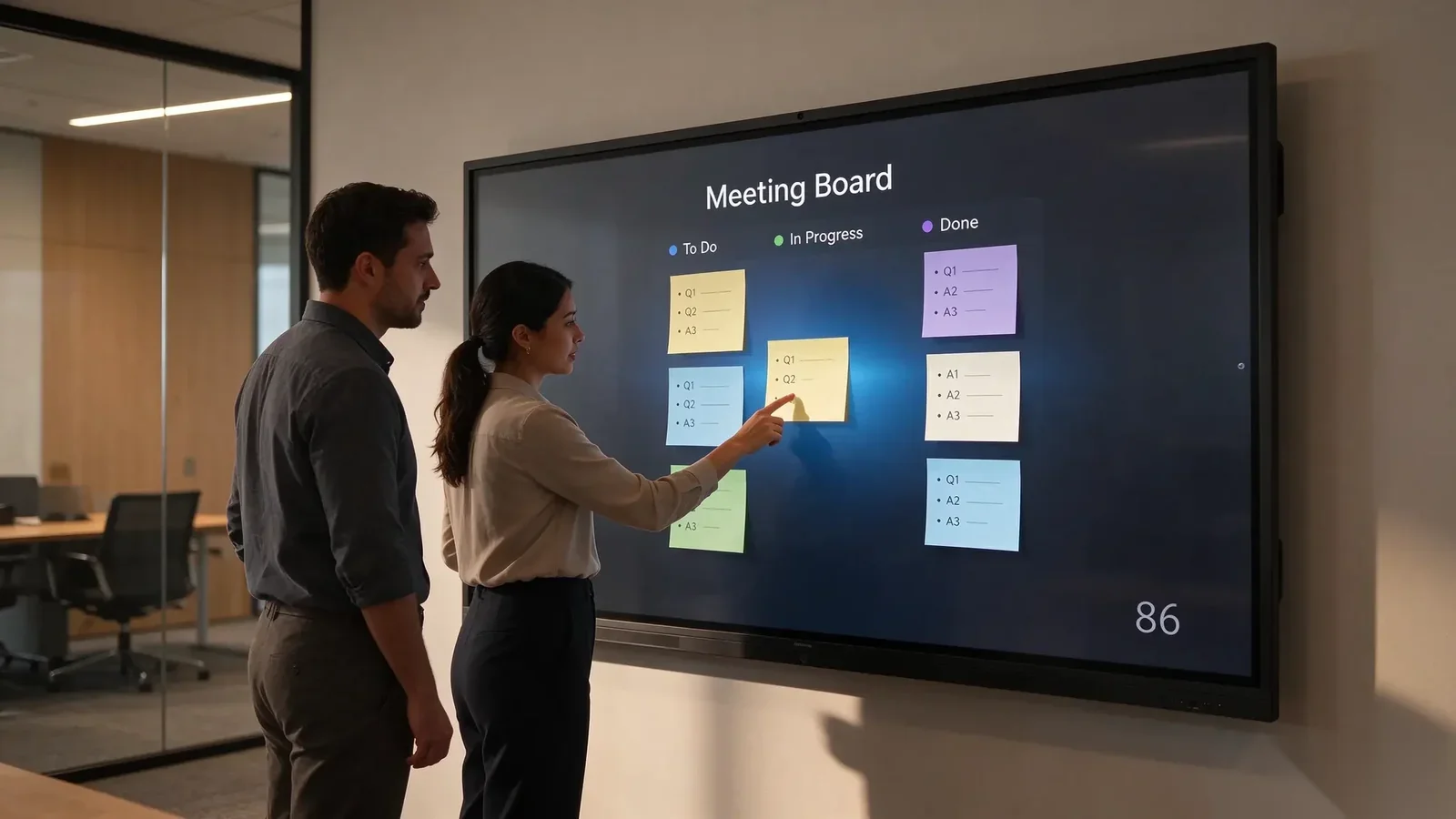
A standard display is suitable when the main requirement is to show presentations, videos or documents. An interactive whiteboard adds direct touch interaction, allowing participants to write, organize ideas and work with content on the screen.
| Vaatimukset | Standard display | Interactive whiteboard |
|---|---|---|
| Show presentations and documents | Yes | Yes |
| Write directly on the screen | Generally requires separate touch equipment | Tuettu |
| Collaborative idea organization | Usually relies on external software and input devices | Can be performed directly using whiteboard software |
| Custom brainstorming layouts | Depends on connected software | Can be created and reused with supported whiteboard functions |
| Save and export meeting content | Depends on the connected computer or application | Supported through the configured whiteboard workflow |
For companies that regularly conduct workshops, training sessions and collaborative planning meetings, direct interaction can reduce the need to switch between a display, paper whiteboard and separate note-taking tools.
However, an interactive whiteboard is not automatically the right choice for every room. Businesses that only need to display content may find a standard commercial display sufficient. The additional interactive functions are most valuable when employees actively write, discuss, organize and reuse meeting information.
How Can Companies Standardize Smart Whiteboard Use Across Teams?
When several departments use interactive whiteboards, a consistent operating method can make collaboration easier. The objective is to create a repeatable process without restricting teams from adapting templates to their own work.
Build a Small Shared Template Collection
Start with a few frequently used layouts, such as Mind Map, SWOT, Kanban and Retrospective. Assign clear names and make sure the bilingual headings follow the company's preferred terminology.
Define Meeting Preparation and Follow-Up
Ask the meeting organizer to select the appropriate template before the session. Assign someone to record decisions and action items, then save and export the completed content after the meeting. This makes it easier for participants to review responsibilities later.
Organize Equipment Across Multiple Rooms
For businesses using interactive whiteboards in several meeting rooms, IT teams should maintain a consistent approach to device configuration, software management and user support. Qtenboard DMS can support device monitoring, remote operations and software management according to the configured solution.
DMS is intended for device management rather than replacing the brainstorming software itself. Companies should define the responsibilities of central IT teams and local users before expanding the deployment to additional offices.
Usein kysyttyjä kysymyksiä
1. Can I use the same brainstorming template in Kazakh and Russian?
Yes. Teams can create custom brainstorming templates with bilingual headings and use the same layout for participants working in Kazakh and Russian. The wording can be adapted to the organization's preferred business terminology.
2. Can meeting notes be saved and exported after a session?
Yes. Qtenboard supports saving content locally and to cloud storage, as well as exporting whiteboard content. The available export formats should be confirmed for the specific software configuration.
3. Does handwriting recognition support Kazakh and Russian?
Yes. Qtenboard supports handwriting recognition in both Kazakh and Russian. Users can test common words, special characters and business terminology as part of their pre-deployment evaluation.
4. Can Qtenboard customize interactive whiteboards for business projects?
Yes. Qtenboard supports OEM and ODM customization options, including UI, logo, wallpaper, startup animation, preloaded applications, language settings, packaging and hardware configuration, subject to project requirements.
5. Can companies order a sample before bulk purchasing?
Yes. Standard models can be ordered from one unit, making it possible to evaluate the product before a larger purchase. OEM and ODM order requirements are confirmed according to the project scope.
Choose Qtenboard Interactive Whiteboards for Business Collaboration
For organizations in Kazakhstan, a bilingual brainstorming workflow can help employees work together across departments, training groups and project teams. Reusable templates provide a consistent structure, while keyboard input, handwriting recognition and AI speech-to-text in Kazakh and Russian support different ways of contributing ideas.
Qtenboard offers interactive whiteboards in 55-inch to 110-inch sizes, with Android 14 and optional Windows OPS configurations. Businesses can create custom brainstorming templates, save and export whiteboard content, and use the available language functions to support their meeting workflows.
For distributors, system integrators and enterprise buyers, Qtenboard also supports OEM and ODM project discussions, sample evaluation and configuration planning. Whether the requirement is a meeting room, training center or multi-department collaboration space, the equipment specification can be discussed according to the intended application.
Discuss Your Interactive Whiteboard Project
Tell us about your meeting rooms, preferred operating system, language requirements and project quantity. Our team can help review a suitable interactive whiteboard configuration for your business.
Yhteystiedot Qtenboardiin